









Beam in practice: Saying yes to more agents, one policy at a time
How do you control the risks without stopping the work?
As agents take on more of the work, the people approving them need to show the board and auditors that AI policy holds once agents are running. In the first post of this series, we described how Beam responds across a range instead of a binary allow or block.
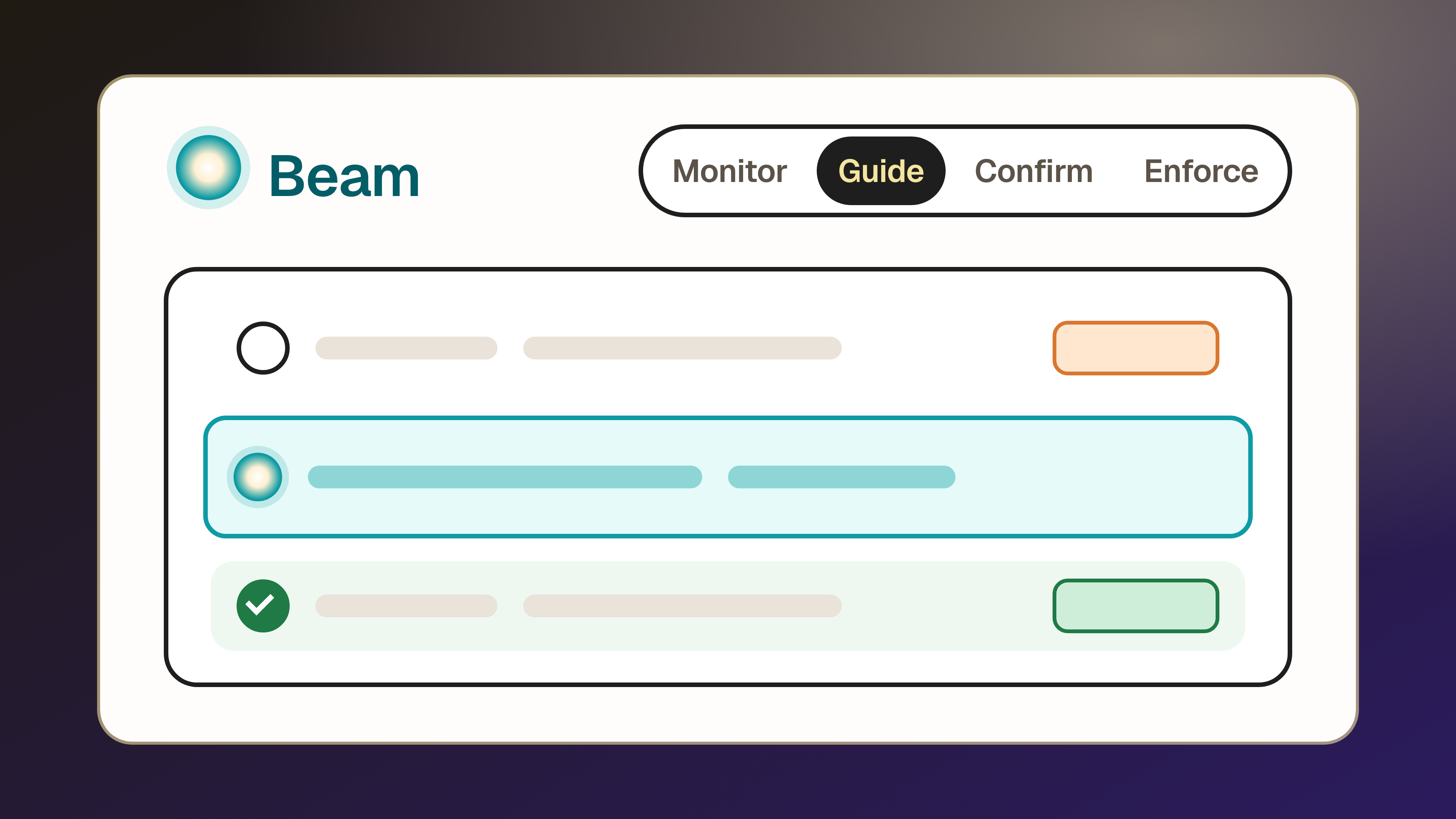
One of our customers, a US-based software company, moved its first policies along that range one step at a time. Its security team moved two policies from Monitor to Guide, one for personal accounts and one for known malicious MCP servers. It didn’t announce the change and let the guidance message tell people what to do. A week later, no one had complained about the personal-account guidance, so the team confidently agreed to enforce the agent when personal accounts were in use.
Beam was built for this kind of rollout because each stage records policy matches and affected work. With that record, the security team can put controls in place without disrupting anyone’s work, move each one forward on evidence and show auditors that each written policy is in force.
What: Turning AI policy into effective controls in practice
A Beam policy is where a written rule about agents becomes something that holds while they work. Every policy has four parts, and each can start small and grow as Geordie learns more about the agent:
- The trigger: what the policy watches for, such as a tool, a sensitive value or a risk Geordie has already detected on an agent.
- The scope: which agents it applies to, narrowed to the agents at risk or to a team or location, then widened as confidence grows.
- The mode: how Beam responds, from Monitor through Guide and Confirm to Enforce.
- The message: what the agent and the person behind it read when the policy fires.
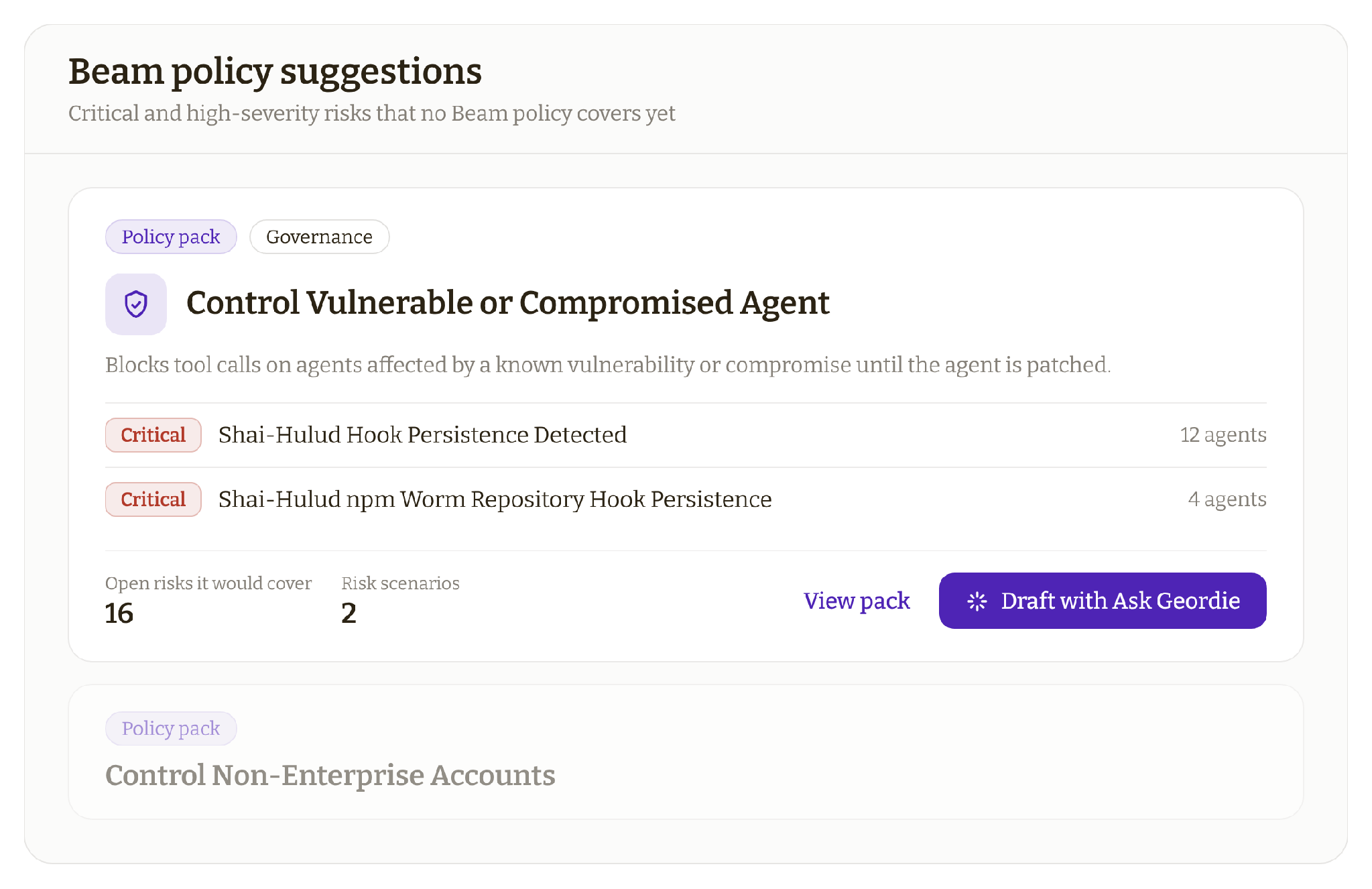
A team rarely writes these from a blank page. Beam ships with ready-made templates and policy packs for common threats. Ask Geordie, the AI layer built into the Geordie platform, can also draft a policy from the agent or activity a team is already looking at. For example, when asked to act on personal accounts found on a handful of agents, Ask Geordie suggests a policy in Guide scoped to only those agents, since guidance can fix a configuration problem. In most cases, the right response is the lightest one that still changes what the agent does.
How: Moving one policy through Beam’s modes
Beam is designed so that each move along the range is small, reversible and visible to the team:
- No redeployment. A policy reaches every supported agent in its scope as soon as it’s created, and changing its mode is one setting. This way, a rollout never waits on engineering.
- A preview before any impact. In Monitor, every match is recorded against the agent and its owner, so the team knows which work a policy will affect before it goes live.
- A small starting scope. A policy linked to a specific risk reaches only the impacted agents, then widens to a team, a location or the whole organization.
- Work that keeps running. In Guide, Beam delivers contextual guidance into the agent’s own context, so the action completes while the agent changes course.
- Nothing in the path of the work. Beam acts inline through the agent’s own configuration and context, so there’s no gateway for tool calls to pass through, without the risk of a single point of failure.
Not every policy needs the gradual path. Critical threat policies can start in Enforce immediately, but moving them through Beam’s modes gives teams the proof and confidence to apply stronger controls elsewhere without slowing down daily work.
Why: Controls that hold while agents keep working
A control lasts when the people it affects trust it, and that trust lets the security team say yes to more agents as they take on more of the work. Teams that roll out with care end up with controls that hold without slowing anyone down.
Wood Partners, for example, enforces Beam policies against the risks Geordie classifies as critical, including newly disclosed wormable AI vulnerabilities, with no blockers reported to employees’ work. A wormable vulnerability spreads from one system to the next without anyone clicking anything. The Shai-Hulud worm was a good example of this, which used each infected developer’s access to publish itself into more npm packages, so catching it at the agent keeps one compromise from reaching many.
"Engineering is starting to work at machine speed, so I can't be the one [saying] we need six days to review something. We want to be able to automate the yes, but have the right visibility and control after the fact so that we are comfortable saying yes to those things. Starting to implement some control with Beam is huge for us."
Evaluation: Questions to ask about any control that promises not to disrupt work
Before the first agent control goes into production, we recommend asking these questions of any vendor that claims it can enforce AI policy without disrupting work. These tools include the AI gateways, endpoint tools and platform controls you may already run:
- Does it see every place your agents are built and run, including cloud platforms, code and the browser, or only the traffic or devices it sits on?
- Can it show you what an agent did inside a session, step by step, beyond the network requests or device events it happened to capture?
- Can it change what the agent does next, with a reason the agent can follow, or can it only allow, drop or stop the action?
- Can the same action be allowed for one agent and steered away for another, based on what each agent is authorized to do?
- If you switch the control off to troubleshoot it, do you lose sight of your agents at the same time?
- Does it sit in the path of every tool call, so that a slowdown or failure on its side becomes a failure in the work your agents do?
Teams that want to plan their first Beam rollout with us can get in touch through geordie.ai.